Precision instruments for the machine on your desk.
Small, honest tools that read your machine and respect it. HWiNFO Sensors puts live CPU and GPU temperatures, clock speeds, fan RPM, usage and power on your Elgato Stream Deck keys and dials. No ads, no telemetry, open source.
HWiNFO Sensors for Stream Deck
A Stream Deck plugin that puts live HWiNFO hardware sensors on your keys and dials, updated every second.
Your hardware, at a glance
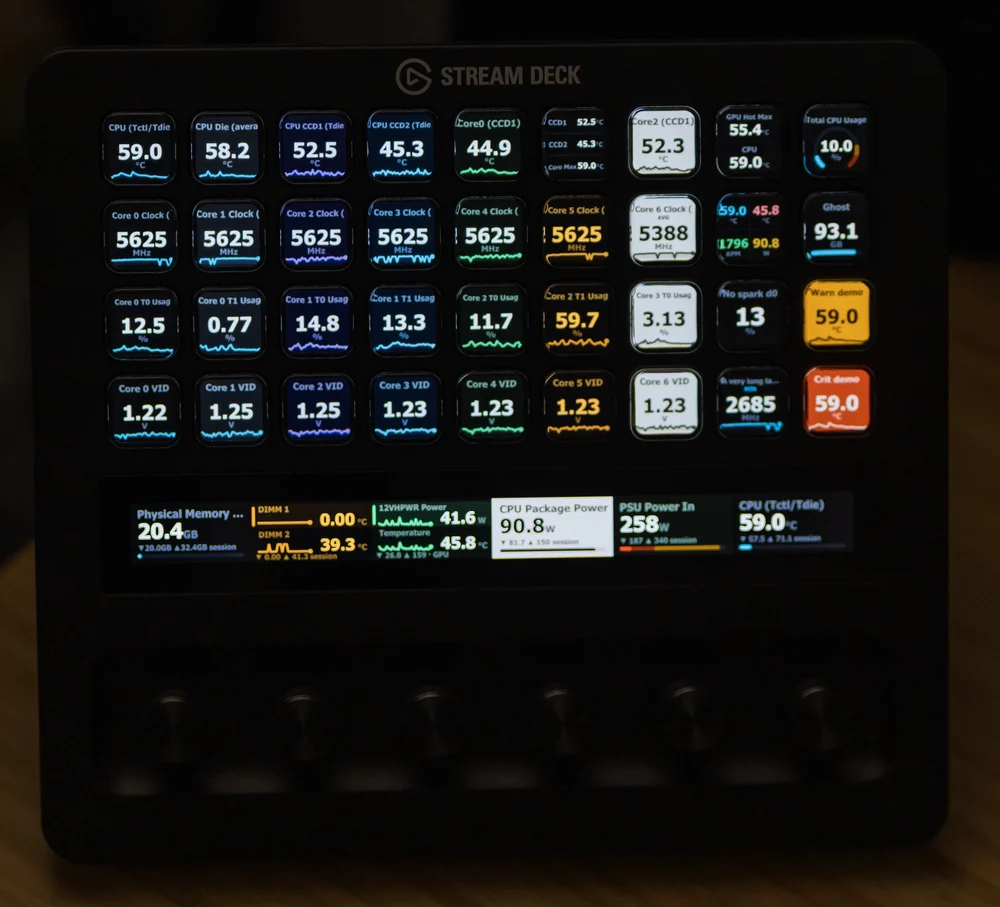
Put CPU and GPU temperature, clock speeds, fan RPM, usage and power on your keys and dials.
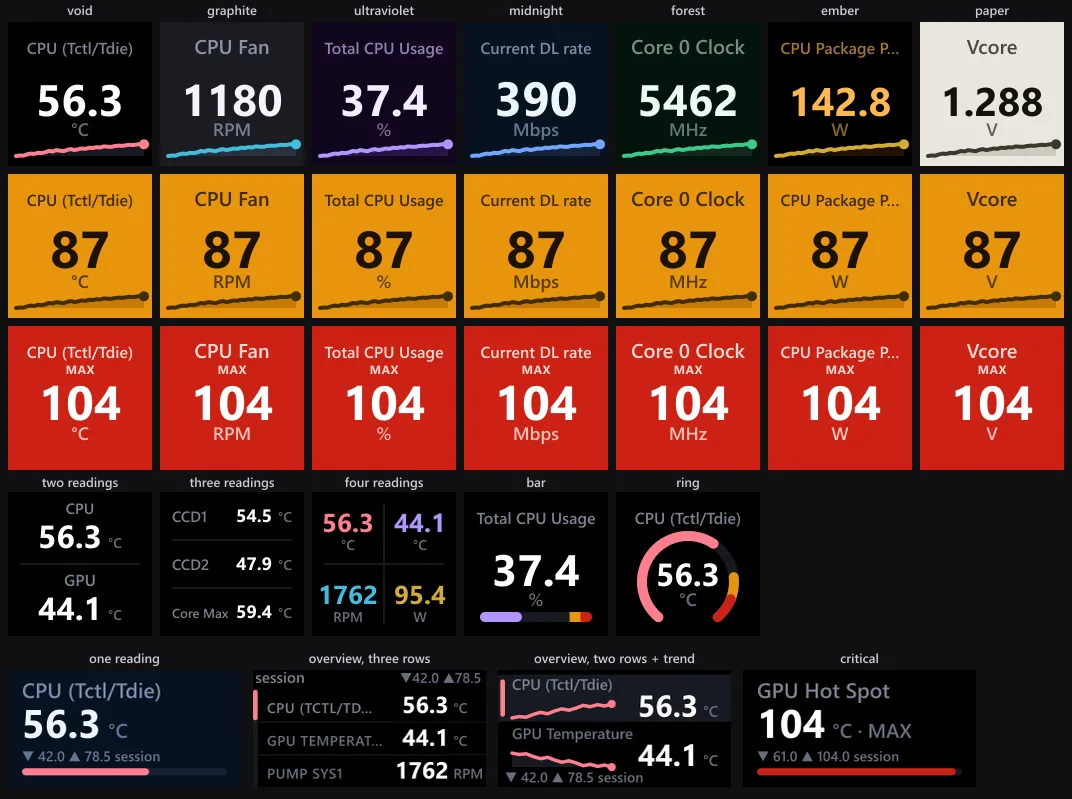
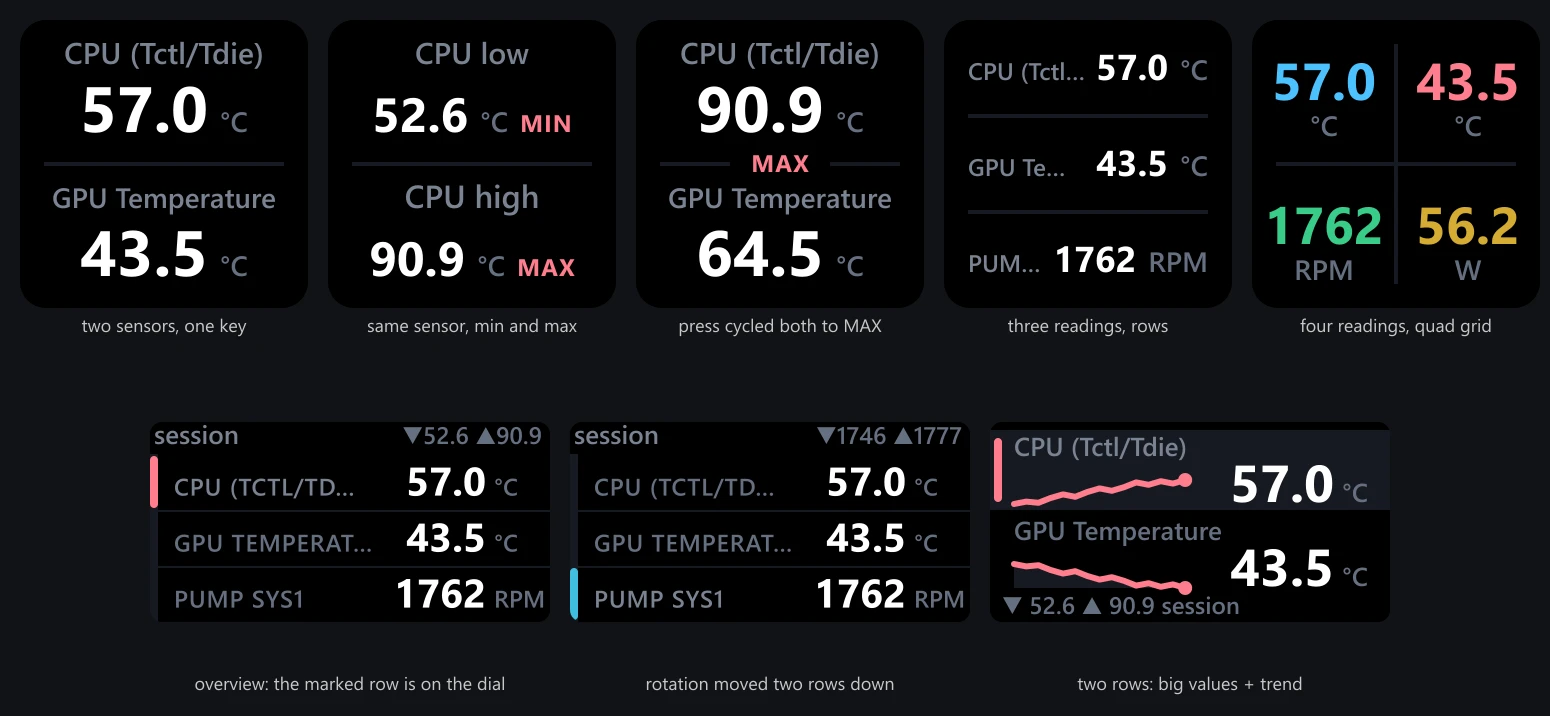
- KeysAny Stream Deck. One reading per key with a live sparkline, bar or ring gauge, or stack two, three or four readings on a single key.
- DialsStream Deck + and Stream Deck + XL: rotate, push and touch, rotation sets with named groups, and a Control key that drives dials from anywhere. Hardware compatibility
- DisplaySeven themes, including a high-contrast light theme for bright rooms and low vision. Amber warn and red critical alerts keep the same palette on every theme, so an alert stays unmistakable with any colour vision.
- StatusWhen HWiNFO stops publishing, keys say so: every failure state renders a screen that names the problem and its fix, instead of a stale number pretending to be live.
- PrivacyNo ads, no telemetry, and no network requests at all: this plugin's only connection is the local one to the Stream Deck app.
- Install the plugin from the Elgato Marketplace, or double-click the .streamDeckPlugin from GitHub Releases.
- Run HWiNFO (free or Pro) and tick Shared Memory Support in its Settings. HWiNFO and the Stream Deck app must run at the same privilege level: both elevated or both normal.
- Drag Sensor Reading onto a key and pick a sensor from the searchable list. The key goes live immediately.
Free HWiNFO switches Shared Memory off after 12 hours. If you have Gadget reporting enabled, the plugin falls back to it automatically and upgrades itself back the moment Shared Memory returns. HWiNFO is a separate free program by REALiX; this plugin does not bundle it.
v1.7.0 · updated Oct 2026
Principles
The same four rules apply to everything on this site, and everything that comes next.
No ads. Ever.
Nothing on screen you did not ask for. No upsells, no nags, no dark patterns.
No telemetry.
Nothing about you or your machine is ever sent to me. When a tool does need the network, it talks only to the server you pointed it at.
Open source.
Every line is on GitHub. Read it, audit it, or build it yourself from source.
Lean and efficient.
Measured in kilobytes and microseconds. Idle when nothing is changing, so it never taxes your rig.
Built by one person, on purpose.
I am slawrensen, an independent developer. I build small, honest tools for people who care how their machines run.
Every product here is made to be fast, quiet, and trustworthy. If it reads your hardware, it does so locally and tells you exactly what it does.
The work is open source, so you never have to take my word for any of it. The code is the documentation of intent.
HWiNFO Sensors is a ground-up TypeScript rewrite on Elgato's official SDK, inspired by the archived Go-based plugin by @shayne: no code shared, credits in NOTICE.md.
Questions, bugs, or ideas go through GitHub Issues, where they are answered in the open.